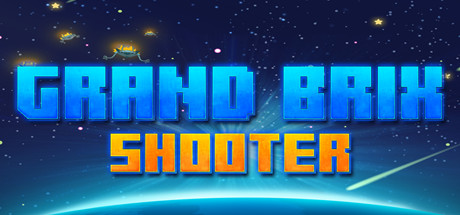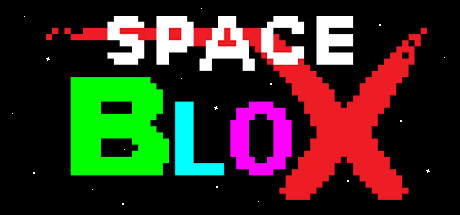
In Space BloX you will guide a spaceship through an infinitely generated level, shooting BloX and upgrading your ship along the way. As you continue your space travels you will find everything happening faster, and faster.
The player is given three lives and has one goal, to stay alive. This can be a real challenge in this world, where BloX are everywhere, some even fall out of the sky. Use power-ups to your advantage and keep your lasers in top shape, because you never know what's next.
Multiplayer Support
Space BloX supports 2-Player co-op using the same keyboard or separate controllers. So whether you are on your laptop or relaxing at home, someone can always join in on the fun!
Difficulty Settings for Everyone
Space BloX has three difficulty settings, something for everyone. From relaxing trips through space on easy mode, all the way to adrenaline pumping hard mode, where you will find yourself barely able to handle the insane BloX. Who made these things anyway?
The Level is Never the Same
Every time you play Space BloX you will be greeted by a completely new level, generated just for you. As you fight your way through strange block formations you will find power-ups that slow down time, give you more lives, or give you amazing green lasers. Yep, that's right.
Features
– Randomly generated level that speeds up as the player goes on
– 2-Player co-op mode on the same screen, play at the same time!
– Full controller support, play with your favorite gamepad
– Three difficulty settings to choose from
– Various laser upgrades to help you destroy targets
– Many bonuses for more points or extra lives
– Slow-motion power-ups slow down time briefly
– Music that speeds up with the game
– That retro charm
The player is given three lives and has one goal, to stay alive. This can be a real challenge in this world, where BloX are everywhere, some even fall out of the sky. Use power-ups to your advantage and keep your lasers in top shape, because you never know what's next.
Multiplayer Support
Space BloX supports 2-Player co-op using the same keyboard or separate controllers. So whether you are on your laptop or relaxing at home, someone can always join in on the fun!
Difficulty Settings for Everyone
Space BloX has three difficulty settings, something for everyone. From relaxing trips through space on easy mode, all the way to adrenaline pumping hard mode, where you will find yourself barely able to handle the insane BloX. Who made these things anyway?
The Level is Never the Same
Every time you play Space BloX you will be greeted by a completely new level, generated just for you. As you fight your way through strange block formations you will find power-ups that slow down time, give you more lives, or give you amazing green lasers. Yep, that's right.
Features
– Randomly generated level that speeds up as the player goes on
– 2-Player co-op mode on the same screen, play at the same time!
– Full controller support, play with your favorite gamepad
– Three difficulty settings to choose from
– Various laser upgrades to help you destroy targets
– Many bonuses for more points or extra lives
– Slow-motion power-ups slow down time briefly
– Music that speeds up with the game
– That retro charm
游戏说明:
1、所有游戏一经使用将永久与您Steam平台帐号绑定,无法剥离,无法二次销售,因此售出的商品不提供任何退换货服务(包括但不限于买错游戏,配置不符,网络问题,游戏限区等)。如您对此持有异议,请勿购买。强烈建议您在购买游戏之前,先了解游戏的配置要求,语言版本,使用地区等基本信息。
2、本店只出售steam激活码,不会索要账号及密码,不会提供低价区礼物,所以请放心,不会对账号造成任何损害。如有其他人员假借平台名义索要任何账号相关内容请勿上当受骗。
3、所有激活码均为正版渠道,价格相比礼物区会贵点,不会有红号、礼物索回等风险。
4、如有其他问题或者合作建议,请与我们联系。诚邀各位游戏开发运营商、以及有推广意向的用户合作。
激活步骤:
一、付款成功后,可在查询订单在中,提取CDK.

一、打开Steam客户端,点击右下角《添加游戏》,选择--在Steam上激活产品....

三、输入订单中的CDK,点击下一步,就可以添加入库了。