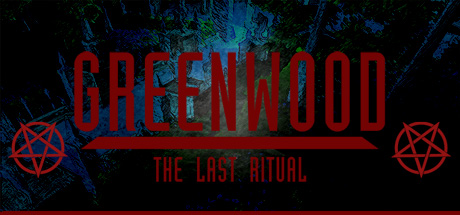
Greenwood The Last Ritual is an adventure game with isometric viewpoint where you will play as an envoy of Vatican. Use magic of pentagrams to break the Curse on the Valley. At the same time you will have to try to resist that Curse yourself and make it out alive.
The game takes place in alternate medieval Europe. It has been more than five hundred years since the end of the Age of Darkness and creation of the Barrier. The horrors of the war with demons are long forgotten, the order of Paladins has become a great legend and the Inquisition, that has cleared Europe from evil, is now the head the Church.
Greenwood Valley is one of those numerous distant counties living far away from rowdy central highlands. However, the sudden illness of a young Countess disturbs the peace of the mountain valley. During her treatment it turns out that she is possessed by an unknown demon. The Inquisitor of the Valley attempts to help the Countess and performs an exorcism ritual that resulted in failure. Now Greenwood is cursed with death and madness.
You play as an envoy of Vatican that is trying to break the curse. Explore the county, communicate with the spirit world, exorcise evil and discover the secrets of the Valley. Don’t forget about your own survival and state of mind. The magic of pentagrams and light are your only protection against the Curse
Key features:
- A mystical adventure into the valley’s open world;
- Explore the world, collect items, solve puzzles;
- Learn and use the magic of pentagrams;
- Communicate with spirits;
- Exorcise the Evil;
- Survive from the ancient curse;
- Use light to protect yourself from the Curse;
- Find a way to complete the exorcism.
The game takes place in alternate medieval Europe. It has been more than five hundred years since the end of the Age of Darkness and creation of the Barrier. The horrors of the war with demons are long forgotten, the order of Paladins has become a great legend and the Inquisition, that has cleared Europe from evil, is now the head the Church.
Greenwood Valley is one of those numerous distant counties living far away from rowdy central highlands. However, the sudden illness of a young Countess disturbs the peace of the mountain valley. During her treatment it turns out that she is possessed by an unknown demon. The Inquisitor of the Valley attempts to help the Countess and performs an exorcism ritual that resulted in failure. Now Greenwood is cursed with death and madness.
You play as an envoy of Vatican that is trying to break the curse. Explore the county, communicate with the spirit world, exorcise evil and discover the secrets of the Valley. Don’t forget about your own survival and state of mind. The magic of pentagrams and light are your only protection against the Curse
Key features:
- A mystical adventure into the valley’s open world;
- Explore the world, collect items, solve puzzles;
- Learn and use the magic of pentagrams;
- Communicate with spirits;
- Exorcise the Evil;
- Survive from the ancient curse;
- Use light to protect yourself from the Curse;
- Find a way to complete the exorcism.
游戏说明:
1、所有游戏一经使用将永久与您Steam平台帐号绑定,无法剥离,无法二次销售,因此售出的商品不提供任何退换货服务(包括但不限于买错游戏,配置不符,网络问题,游戏限区等)。如您对此持有异议,请勿购买。强烈建议您在购买游戏之前,先了解游戏的配置要求,语言版本,使用地区等基本信息。
2、本店只出售steam激活码,不会索要账号及密码,不会提供低价区礼物,所以请放心,不会对账号造成任何损害。如有其他人员假借平台名义索要任何账号相关内容请勿上当受骗。
3、所有激活码均为正版渠道,价格相比礼物区会贵点,不会有红号、礼物索回等风险。
4、如有其他问题或者合作建议,请与我们联系。诚邀各位游戏开发运营商、以及有推广意向的用户合作。
激活步骤:
一、付款成功后,可在查询订单在中,提取CDK.

一、打开Steam客户端,点击右下角《添加游戏》,选择--在Steam上激活产品....

三、输入订单中的CDK,点击下一步,就可以添加入库了。