Palette Forge was designed to test and perfect your color palette ideas before picking up a real brush and miniature to bring your ideas to life!
Palette Forge is not a “Miniature Painting Simulator”. But it’s fully capable of being a fun and relaxing way to paint miniatures digitally. The main feature is the advanced palette system that not only gives you a reference of colors you chose for your palette but also a recipe to mix those colors using a custom CMYK drop system.
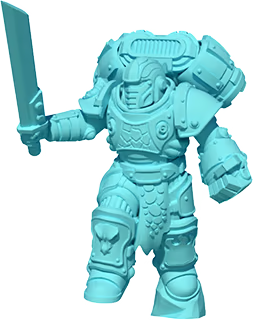
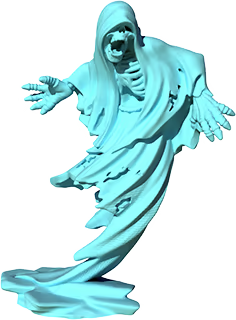
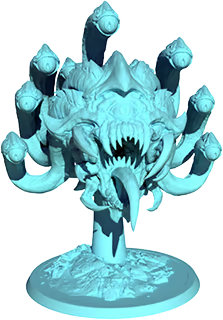
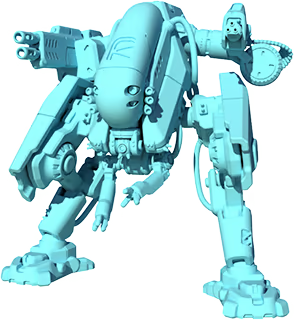
With over 100 licensed models from our amazing partners to paint, each with 3 resolutions you can share your paints and palettes with the Steam Community and we encourage you to share your actual miniature paints in the Artwork area of our Steam Community.

And more partners are signing up to share their amazing sculps in future updates!

Over 100 Licensed Miniatures!
An intuitive color selector and an interactive color theory panel with the ability to generate random palettes for inspiration. This blows the palette wide open while keeping the initial color selection simple!
A preview color palette with the ability to be expanded showing you the colors palette you've used with information on each color including paint mixing instructions to get the color with physical mediums.
An Undo button with multiple undo depth. mistakes can make the miniature interesting and lead to creativity, but some times undo is needed.
You can export a default photo on the workspace and preview palette, or open the advanced palette view for the screenshot for reference.
Brush Size, Pressure, Shape and the ability to rotate and flip the brush. With over 100 brushes to choose from.
Paint glossy or reflective metallic colors anywhere you want using the Metallic Intensity setting.
Blend colors together using an amazing blending tool where you control the intenseness of the blending.
A very intuitive 360 degree camera system, but also the ability to rotate the miniature itself as well as the lighting.
A "Start Fresh" button to clear the mini of all paint while maintaining the palette.
A fully featured Showcase mode allowing you to setup an interesting background for the miniature so you can export an amazing image of your painted miniature. With over 70 backgrounds to choose from.
A quick help system to show you the controls and access to a PDF manual from within the software to support your journey as needed.
When enjoying the hobby of Miniature Painting we discovered a need for a tool to help us plan color palettes before painting. Initially it was done by taking a picture of the miniature and loading it into a photo editing software. We would create layers and fill selected area with color to see how they looked, but it was a slow process that required a lot of preparation and it only helped with that one miniature. So, we mixed our hobbies of software development and miniature painting to build the tool we needed, Palette Forge.
1、所有游戏一经使用将永久与您Steam平台帐号绑定,无法剥离,无法二次销售,因此售出的商品不提供任何退换货服务(包括但不限于买错游戏,配置不符,网络问题,游戏限区等)。如您对此持有异议,请勿购买。强烈建议您在购买游戏之前,先了解游戏的配置要求,语言版本,使用地区等基本信息。
2、本店只出售steam激活码,不会索要账号及密码,不会提供低价区礼物,所以请放心,不会对账号造成任何损害。如有其他人员假借平台名义索要任何账号相关内容请勿上当受骗。
3、所有激活码均为正版渠道,价格相比礼物区会贵点,不会有红号、礼物索回等风险。
4、如有其他问题或者合作建议,请与我们联系。诚邀各位游戏开发运营商、以及有推广意向的用户合作。
一、付款成功后,可在查询订单在中,提取CDK.

一、打开Steam客户端,点击右下角《添加游戏》,选择--在Steam上激活产品....

三、输入订单中的CDK,点击下一步,就可以添加入库了。