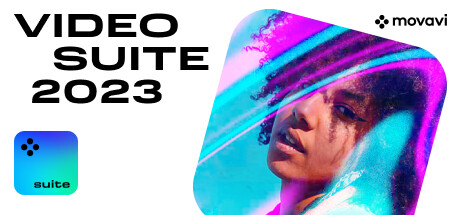
The New Video Suite 2024 Is Here to Save the Day!
About the Software
Movavi Video Suite is your go-to app if you create gaming content for social media. It’s also invaluable if you want AI-driven video editing and recording tools for work. The app lets you edit footage, and convert films, music, and pictures to any format. You can also capture webinars and online calls, play movies, and burn CDs and DVDs with any type of media content.Highlights
- AI-driven video background remover. Change the backdrop even without the green screen
- AI-powered denoiser. Automatically remove any distracting noise from videos without a trace
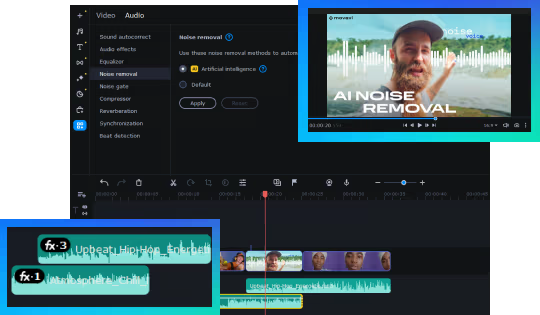
- AI quality video upscaling by up to 8 times
- Ability to take scrolling screenshots
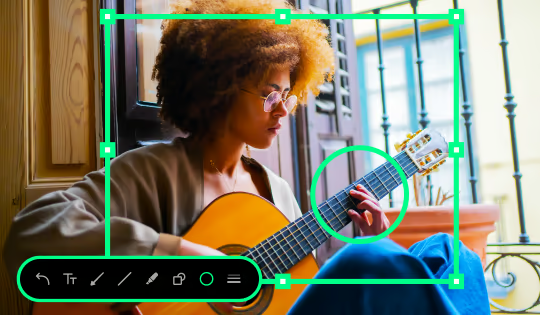
- Drawing on videos while screen recording. Add arrows, squares, or circles to make your message clear
- New collection of audio tracks
- Direct upload to TikTok
- New rad frames
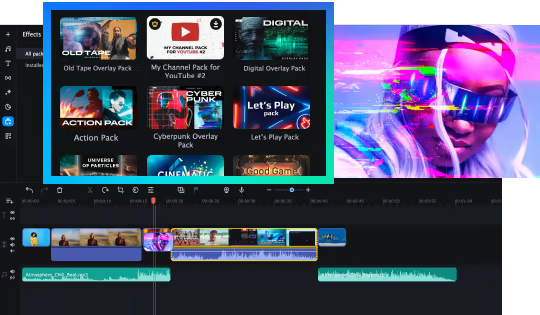
- New trendy and stylish effects packs for infinite video creativity
Free effects set ‘Pixel Age’!
Dive into nostalgia and try golden age titles and stickers, as if you were playing your favorite 8-bit game.
Liven up your videos
Make the most of our video editor to create captivating gaming video clips in minutes. Throw some videos onto a timeline, make a few quick edits, and set YouTube, Twitch, and other platforms on fire!
Crop, rotate, and cut footage, and insert transitions to smoothen the cuts. Instantly improve recordings: adjust colors and make the sound more voluminous. Highlight key moments in your games with audio effects. Pan and zoom your footage for a more dramatic look! Add your favorite music and audio tracks from our built-in media library, and make your walkthroughs more dynamic. Overlay cool special effects to create the right mood.
Let artificial intelligence do all the hard work: swap backgrounds even without green screens and remove uncool sounds from your videos.
Movavi Video Suite has a tool for all your needs!
Convert media files
Prepare your gameplay videos for social networks: convert 180+ different media formats extremely fast. Compress files that are way too large. Upscale your videos’ quality, wielding the power of AI.
Find subtitles to your favorite movies online and add them directly from the app.
Record visuals and sounds
Schedule all your recordings and save all webinars, online presentations, podcasts, and tutorials you can’t make it to and watch them later. Create screencasts and share them with your squad, family, or colleagues. Record basically anything you do on your computer – cursor movements, keyboard inputs. Make your videos more engaging with real-time drawing. Grab videos from your webcam or even a TV tuner. Hit the big red REC button and enjoy the sound of your voice on a mic or your system audio.
Discover other ways to work with multimedia files
- Take scrolling screenshots and save the full screen or only a part of it
- Change the video resolution, frame rate, and bitrate
- Capture webcam, AVCHD camera, VHS, and TV output
- Burn CDs, DVDs, and Blu-ray discs
- Copy, back up, and save files from CD or DVD to your computer's hard disk
- Play back video and audio
- Share video content on YouTube, Vimeo, TikTok, and Google Drive, right from the program
游戏说明:
1、所有游戏一经使用将永久与您Steam平台帐号绑定,无法剥离,无法二次销售,因此售出的商品不提供任何退换货服务(包括但不限于买错游戏,配置不符,网络问题,游戏限区等)。如您对此持有异议,请勿购买。强烈建议您在购买游戏之前,先了解游戏的配置要求,语言版本,使用地区等基本信息。
2、本店只出售steam激活码,不会索要账号及密码,不会提供低价区礼物,所以请放心,不会对账号造成任何损害。如有其他人员假借平台名义索要任何账号相关内容请勿上当受骗。
3、所有激活码均为正版渠道,价格相比礼物区会贵点,不会有红号、礼物索回等风险。
4、如有其他问题或者合作建议,请与我们联系。诚邀各位游戏开发运营商、以及有推广意向的用户合作。
激活步骤:
一、付款成功后,可在查询订单在中,提取CDK.

一、打开Steam客户端,点击右下角《添加游戏》,选择--在Steam上激活产品....

三、输入订单中的CDK,点击下一步,就可以添加入库了。