Join us on DISCORD

About the Game

Recover damaged images:

Fix corrupted files:

Design the logic:
Simulate the program:
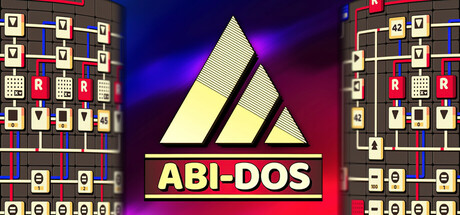
ABI-DOS: The Ultimate Automation Puzzle Challenge.
In ABI-DOS, you build circuits to manipulate and guide UBITS (colored digital blocks) toward specific goals based on the given documentation. By strategically placing wires and instruction blocks on a microchip, you manipulate inputs to achieve desired outputs—whether it’s fixing corrupted files, recovering damaged .png images, or simulating particle trajectories. ABI-DOS challenges you to meet strict specifications through inventive problem-solving.

No programming experience is required, as everything is explained in-game. The focus is on assembling logical solutions within space and operational constraints rather than on real-world programming concepts.
The puzzles are challenging and offer no predetermined solutions, allowing for multiple approaches. Each level starts with a blank canvas, giving you the freedom to create your own unique solution from scratch.
You are encouraged to optimize your algorithms, fostering creative exploration and friendly competition as you compare solutions with friends and on global leaderboards.
With over 50 puzzles and more than 50 hours of gameplay, ABI-DOS offers extensive content for players to delve into.
The work is overseen by the system's Admin, a mysterious figure who is not what he seems. Set in a retro-punk world, this enigmatic presence adds an extra layer of intrigue as you uncover the deeper mysteries of the system.
Drawing inspiration from Zach-like games, ABI-DOS pays homage to its predecessors while offering a fresh perspective on the assembly puzzle genre.
1、所有游戏一经使用将永久与您Steam平台帐号绑定,无法剥离,无法二次销售,因此售出的商品不提供任何退换货服务(包括但不限于买错游戏,配置不符,网络问题,游戏限区等)。如您对此持有异议,请勿购买。强烈建议您在购买游戏之前,先了解游戏的配置要求,语言版本,使用地区等基本信息。
2、本店只出售steam激活码,不会索要账号及密码,不会提供低价区礼物,所以请放心,不会对账号造成任何损害。如有其他人员假借平台名义索要任何账号相关内容请勿上当受骗。
3、所有激活码均为正版渠道,价格相比礼物区会贵点,不会有红号、礼物索回等风险。
4、如有其他问题或者合作建议,请与我们联系。诚邀各位游戏开发运营商、以及有推广意向的用户合作。
一、付款成功后,可在查询订单在中,提取CDK.

一、打开Steam客户端,点击右下角《添加游戏》,选择--在Steam上激活产品....

三、输入订单中的CDK,点击下一步,就可以添加入库了。