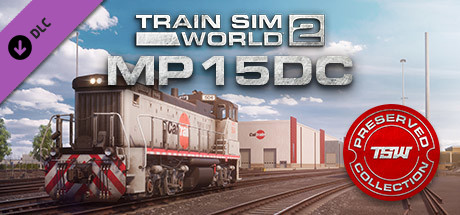
Climb aboard for challenging switching, maintenance-of-way, and train rescue operations with the Train Sim World® 2: Caltrain Electro-Motive MP15DC diesel locomotive for the Peninsula Corridor: San Francisco – San Jose route!
To handle a variety of special duties, commuter railroad Caltrain rosters a pair of versatile EMD MP15DC locomotives which originally served the Southern Pacific.
The MP15DC is a multi-purpose locomotive build in the traditional “end cab” design of diesel switchers but equipped with trucks capable of mainline service. Constructed by Electro-Motive (EMD) from 1974 through 1980, the MP15DC is a four-axle (B-B), 1,500-horsepower (1119 kW) locomotive powered by an EMD 12-cylinder 645-series engine and employing a D.C. generator. A total of 351 MP15s were constructed.
Dressed in Caltrain’s colorful livery, the TSW2 MP15DC is a superb re-creation of the distinctive locomotive and features exacting details, fully interactive and realistic controls, and true-to-life performance. And you’ll have the opportunity to put the Caltrain MP15DC through its paces in a variety of authentic duties ranging from switching and train make-up duties at the railroad’s San Jose shop facilities to handling heavy-tonnage work trains on the main line to coming to the rescue of failed commuter trains!
To handle a variety of special duties, commuter railroad Caltrain rosters a pair of versatile EMD MP15DC locomotives which originally served the Southern Pacific.
The MP15DC is a multi-purpose locomotive build in the traditional “end cab” design of diesel switchers but equipped with trucks capable of mainline service. Constructed by Electro-Motive (EMD) from 1974 through 1980, the MP15DC is a four-axle (B-B), 1,500-horsepower (1119 kW) locomotive powered by an EMD 12-cylinder 645-series engine and employing a D.C. generator. A total of 351 MP15s were constructed.
Dressed in Caltrain’s colorful livery, the TSW2 MP15DC is a superb re-creation of the distinctive locomotive and features exacting details, fully interactive and realistic controls, and true-to-life performance. And you’ll have the opportunity to put the Caltrain MP15DC through its paces in a variety of authentic duties ranging from switching and train make-up duties at the railroad’s San Jose shop facilities to handling heavy-tonnage work trains on the main line to coming to the rescue of failed commuter trains!
Key Features
- MP15DC Diesel Switcher in Caltrain livery
- Accurate, true-to-life performance and handling
- Highly detailed, feature-rich, driving cabs with accurate true-to-life performance and handling
- Authentic and detailed sound recordings, recorded from the real locomotives
- Includes three engaging scenarios and an interactive training module for Peninsula Corridor
- Includes an additional layer for Timetable Mode on Peninsula Corridor, adding 15 new timetabled services to the route
- Powered by Dovetail Games’ proprietary SimuGraph® vehicle dynamics engine and Unreal Engine 4® technology
- Download size: 82.7mb
游戏说明:
1、所有游戏一经使用将永久与您Steam平台帐号绑定,无法剥离,无法二次销售,因此售出的商品不提供任何退换货服务(包括但不限于买错游戏,配置不符,网络问题,游戏限区等)。如您对此持有异议,请勿购买。强烈建议您在购买游戏之前,先了解游戏的配置要求,语言版本,使用地区等基本信息。
2、本店只出售steam激活码,不会索要账号及密码,不会提供低价区礼物,所以请放心,不会对账号造成任何损害。如有其他人员假借平台名义索要任何账号相关内容请勿上当受骗。
3、所有激活码均为正版渠道,价格相比礼物区会贵点,不会有红号、礼物索回等风险。
4、如有其他问题或者合作建议,请与我们联系。诚邀各位游戏开发运营商、以及有推广意向的用户合作。
激活步骤:
一、付款成功后,可在查询订单在中,提取CDK.

一、打开Steam客户端,点击右下角《添加游戏》,选择--在Steam上激活产品....

三、输入订单中的CDK,点击下一步,就可以添加入库了。





























