Remastered Version
About the Game
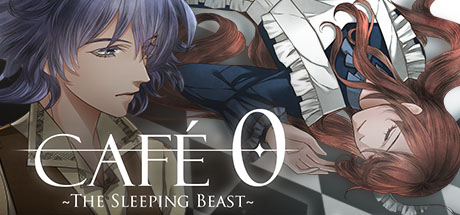
CAFE 0 ~The Sleeping Beast~ is a supernatural mystery visual novel which is fully voiced in Japanese.You don't need to play CAFE 0 ~The Drowned Mermaid~ to understand the story.
The MCs from both games visit the same cafe, but, aside from that, the stories are different.
Seycara Orchestra is in charge of the beautiful orchestral soundtrack.
STORY
The PresentThe story starts in a village with an atmosphere akin to Europe in the 19th century.
There is a big noble villa there where Corliss Green is working.
One day she wakes up and finds herself in front of a weird café.
Noir, the waiter, tells her that she has already died, but failed to go to the heaven and, as a lost spirit, she ended up at the entrance to Café 0.
He later gave Corliss a chance to return to a week before she died.
But does she really need to go to the heaven?
And what is the truth behind her untimely death?
The Past
Sophie Evans works as a midwife.
She is a cheerful woman and everybody likes her.
What is her relation to the missing incident 15 years ago?
CAST
Corliss - AyanoNathan - Mayuki Sawae
Ethan - Tarou Yamada
Barclay - Nyoibou
Noir - Shinya
Sophie - Aonoi
Ed - Kyou Tsukikage
Eva/Emma - Remi Tamaki
MOB - Aonoi, Ayano, Kon, Kouto Saionji, Shiwasun, Komugi Tachibana, Hiko Morikawa, Nyoibou
THEME SONG
"Replay?"Music: Souichi Sakagami(Trial & Error)
Lyrics: kikyow
Vocal: ming-zi
GUIDE
Simply choose the choice which shows heart in the same color on day 2 and 3 to get into the character's specific route. True route will be available later after all character's routes finished.ORIGINAL BGM
11 original orchestral soundtrack from Seycara Orchestra.
游戏说明:
1、所有游戏一经使用将永久与您Steam平台帐号绑定,无法剥离,无法二次销售,因此售出的商品不提供任何退换货服务(包括但不限于买错游戏,配置不符,网络问题,游戏限区等)。如您对此持有异议,请勿购买。强烈建议您在购买游戏之前,先了解游戏的配置要求,语言版本,使用地区等基本信息。
2、本店只出售steam激活码,不会索要账号及密码,不会提供低价区礼物,所以请放心,不会对账号造成任何损害。如有其他人员假借平台名义索要任何账号相关内容请勿上当受骗。
3、所有激活码均为正版渠道,价格相比礼物区会贵点,不会有红号、礼物索回等风险。
4、如有其他问题或者合作建议,请与我们联系。诚邀各位游戏开发运营商、以及有推广意向的用户合作。
激活步骤:
一、付款成功后,可在查询订单在中,提取CDK.

一、打开Steam客户端,点击右下角《添加游戏》,选择--在Steam上激活产品....

三、输入订单中的CDK,点击下一步,就可以添加入库了。





























