The New Video Suite 2024 Is Here to Save the Day!
About the Software
Meet Movavi Picverse
– your new AI-based helper that will take your photo editing to the next level. Enhance your photos any way you want: adjust sharpness and color, restore old images, remove unwanted objects, change backgrounds – and do it all in a couple of clicks.What’s new?
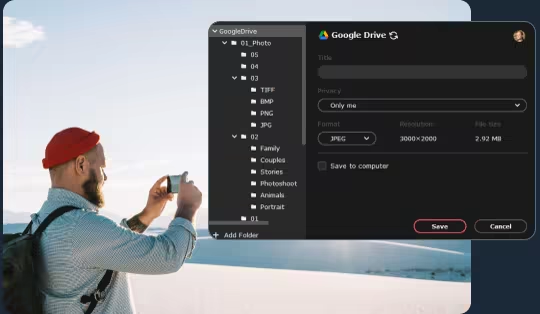
- Share files on Google Drive
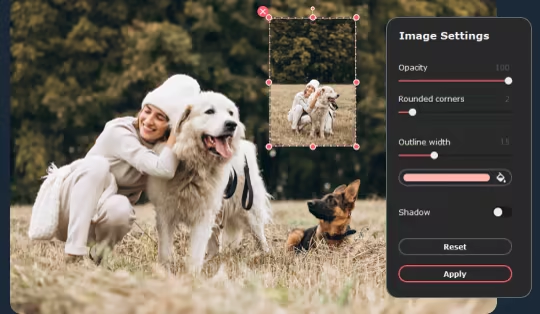
- Overlay images on other images
- Sort photos on your computer
- Use the upgraded background change tool and portrait retouch
AI-Powered Toolkit
Movavi Picverse uses artificial intelligence to edit your photos, and that is why it is so fast.Here’s what you can do:
- Adjust colors automatically with Magic Enhance or use manual controls
- Apply HDR lighting to balance contrast and emphasize details
- Remove digital noise caused by inadequate lighting conditions
- Restore old photos: remove scratches and revive colors
Smart Resizing Algorithms
Whether you need to compress or scale up an image, you can do it without losing image quality. Choose the size you need, and AI will take care of the rest.One-Click Retouching
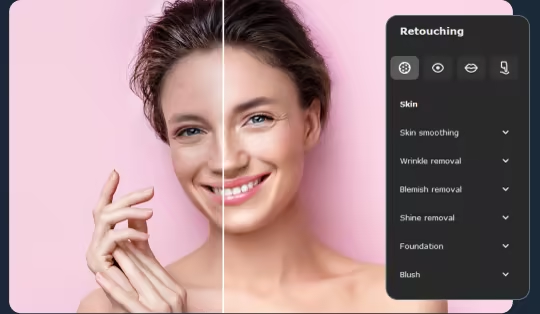
Give portraits and selfies a total makeover using image retouching tools:
- Reshape faces and bodies
- Remove red-eye
- Whiten teeth
- Smooth out skin, remove shine, wrinkles, and other blemishes
Object Removal
Delete unwanted stuff from your pictures using the handy Stamp tool. Copy “clean” areas to paint over problematic ones.
Background Removal
Replace the original background with a different picture or remove the background altogether. AI identifies people in photographs and selects their silhouettes automatically.
Photo management
Sort pictures by name, date, and location. The program can automatically detect people and locations in pictures, so you can quickly sort photos into thematic albums.More Tools
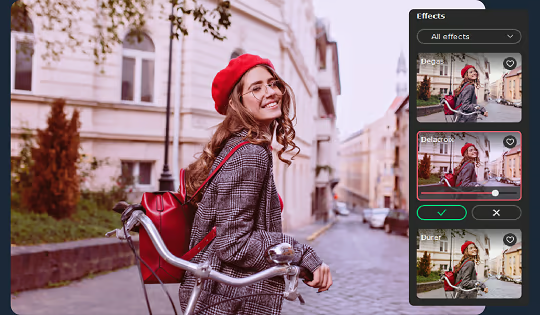
Movavi Picverse also comes in handy for basic editing. You can have fun with dozens of filters and effects, add text, crop and rotate images, and straighten the horizon.
Flexible Formats
You can work with any graphics format, including RAW. When exporting the resulting photo, you can choose the output format and size: JPEG, PNG, BMP, TIFF, DPX, PBM, and more.
Now you can also share pictures on Google Drive to save space on your computer.
游戏说明:
1、所有游戏一经使用将永久与您Steam平台帐号绑定,无法剥离,无法二次销售,因此售出的商品不提供任何退换货服务(包括但不限于买错游戏,配置不符,网络问题,游戏限区等)。如您对此持有异议,请勿购买。强烈建议您在购买游戏之前,先了解游戏的配置要求,语言版本,使用地区等基本信息。
2、本店只出售steam激活码,不会索要账号及密码,不会提供低价区礼物,所以请放心,不会对账号造成任何损害。如有其他人员假借平台名义索要任何账号相关内容请勿上当受骗。
3、所有激活码均为正版渠道,价格相比礼物区会贵点,不会有红号、礼物索回等风险。
4、如有其他问题或者合作建议,请与我们联系。诚邀各位游戏开发运营商、以及有推广意向的用户合作。
激活步骤:
一、付款成功后,可在查询订单在中,提取CDK.

一、打开Steam客户端,点击右下角《添加游戏》,选择--在Steam上激活产品....

三、输入订单中的CDK,点击下一步,就可以添加入库了。





























