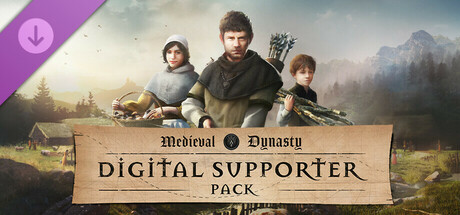
The Digital Supporter Pack of Medieval Dynasty contains various digital goodies, that will enhance your Medieval experience and bring you some exclusive materials such as an artbook, behind the scenes video as well as the original music of the game.
Original Medieval Dynasty Soundtrack
Enjoy the sound of the unique designed music tracks for Medieval Dynasty. The diversified tracks, composed by Queen of Noise (Far Cry 5, AC Odyssey), makes you forget the present and transports you back to the Middle Ages!
Digital World Map
The whole world at a glance - the digital world map gives you an overview of the large and lovingly crafted world in which you live your life in Medieval Dynasty.
4K Wallpapers
Exclusive backgrounds bring the unique medieval atmosphere to your desktop.
Digital Artbook
From simple scribbles to final graphics - the developers present their artistic work in a comprehensive artbook.
Digital Manual
Explanations, support as well as tips & tricks - with the digital manual you are well prepared!
Medieval Dynasty History Video
Experience history live! We take you to a medieval village and show you fascinating parallels to the game!
Medieval Dynasty Behind the Scenes Video
In this video you can learn more about the people who made their dream come true with Medieval Dynasty. Join us on a tour through the studio and get to know developers and producers, who tell you more about the exciting times during the development.
How to access the Digital Goodies
All digital goodies can be found in the game’s install directory within the folder "Digital Supporter Pack Content" (Steam\SteamApps\common\Medieval Dynasty) after the “Digital Supporter Pack” DLC has finished downloading.
Original Medieval Dynasty Soundtrack
Enjoy the sound of the unique designed music tracks for Medieval Dynasty. The diversified tracks, composed by Queen of Noise (Far Cry 5, AC Odyssey), makes you forget the present and transports you back to the Middle Ages!
Digital World Map
The whole world at a glance - the digital world map gives you an overview of the large and lovingly crafted world in which you live your life in Medieval Dynasty.
4K Wallpapers
Exclusive backgrounds bring the unique medieval atmosphere to your desktop.
Digital Artbook
From simple scribbles to final graphics - the developers present their artistic work in a comprehensive artbook.
Digital Manual
Explanations, support as well as tips & tricks - with the digital manual you are well prepared!
Medieval Dynasty History Video
Experience history live! We take you to a medieval village and show you fascinating parallels to the game!
Medieval Dynasty Behind the Scenes Video
In this video you can learn more about the people who made their dream come true with Medieval Dynasty. Join us on a tour through the studio and get to know developers and producers, who tell you more about the exciting times during the development.
How to access the Digital Goodies
All digital goodies can be found in the game’s install directory within the folder "Digital Supporter Pack Content" (Steam\SteamApps\common\Medieval Dynasty) after the “Digital Supporter Pack” DLC has finished downloading.
游戏说明:
1、所有游戏一经使用将永久与您Steam平台帐号绑定,无法剥离,无法二次销售,因此售出的商品不提供任何退换货服务(包括但不限于买错游戏,配置不符,网络问题,游戏限区等)。如您对此持有异议,请勿购买。强烈建议您在购买游戏之前,先了解游戏的配置要求,语言版本,使用地区等基本信息。
2、本店只出售steam激活码,不会索要账号及密码,不会提供低价区礼物,所以请放心,不会对账号造成任何损害。如有其他人员假借平台名义索要任何账号相关内容请勿上当受骗。
3、所有激活码均为正版渠道,价格相比礼物区会贵点,不会有红号、礼物索回等风险。
4、如有其他问题或者合作建议,请与我们联系。诚邀各位游戏开发运营商、以及有推广意向的用户合作。
激活步骤:
一、付款成功后,可在查询订单在中,提取CDK.

一、打开Steam客户端,点击右下角《添加游戏》,选择--在Steam上激活产品....

三、输入订单中的CDK,点击下一步,就可以添加入库了。





























