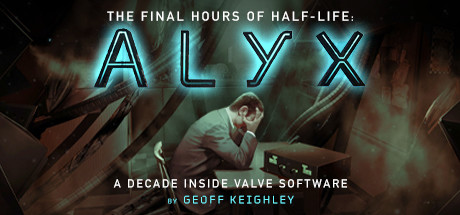
Twenty-two years ago, Geoff Keighley was in college when he visited Gabe Newell and Valve Software to write The Final Hours of Half-Life. Now, over two decades later, Keighley returns to Valve for The Final Hours of Half-Life: Alyx.
This 25,000 word multimedia experience gives readers an unprecedented and unvarnished look at the past decade inside Valve. From the revelation of surprising canceled projects to never-before-seen images, photos and video, The Final Hours dissects Valve’s creative process and candidly explores the development history of Half-Life: Alyx.
This interactive storybook does not use or require a virtual reality headset. It merges a 25,000 word traditional story with 3D video game technology to give customers a fly-on-the-wall perspective of Valve’s creative process.
FEATURES INCLUDE:
This 25,000 word multimedia experience gives readers an unprecedented and unvarnished look at the past decade inside Valve. From the revelation of surprising canceled projects to never-before-seen images, photos and video, The Final Hours dissects Valve’s creative process and candidly explores the development history of Half-Life: Alyx.
This interactive storybook does not use or require a virtual reality headset. It merges a 25,000 word traditional story with 3D video game technology to give customers a fly-on-the-wall perspective of Valve’s creative process.
FEATURES INCLUDE:
- INTERACTIVE “TONER” PUZZLES: Unlock never-before-seen concept art and images via interactive puzzles inspired by Half-Life: Alyx
- NEVER-BEFORE-SEEN PROTOTYPES: From early video prototypes of Alyx to other cancelled games, Valve reveals unknown – and unreleased – projects.
- HEADCRAB SOUND MIXER: Create your own headcrab sound effects using the same source files as the development team.
- DEVELOPMENT FLOOR EXPERIENCE: Explore the Valve office with an interactive 3D tour that showcases the development area for Half-Life: Alyx.
- VALVE TIME: An interactive timeline details Valve’s software and hardware projects over the past decade – including previously unknown projects.
- RHYS DARBY: Exclusive interview with Rhys Darby (“Russell”), one of the stars of Half-Life: Alyx
Note: The Final Hours of Half-Life: Alyx does not require or utilize a VR headset.
游戏说明:
1、所有游戏一经使用将永久与您Steam平台帐号绑定,无法剥离,无法二次销售,因此售出的商品不提供任何退换货服务(包括但不限于买错游戏,配置不符,网络问题,游戏限区等)。如您对此持有异议,请勿购买。强烈建议您在购买游戏之前,先了解游戏的配置要求,语言版本,使用地区等基本信息。
2、本店只出售steam激活码,不会索要账号及密码,不会提供低价区礼物,所以请放心,不会对账号造成任何损害。如有其他人员假借平台名义索要任何账号相关内容请勿上当受骗。
3、所有激活码均为正版渠道,价格相比礼物区会贵点,不会有红号、礼物索回等风险。
4、如有其他问题或者合作建议,请与我们联系。诚邀各位游戏开发运营商、以及有推广意向的用户合作。
激活步骤:
一、付款成功后,可在查询订单在中,提取CDK.

一、打开Steam客户端,点击右下角《添加游戏》,选择--在Steam上激活产品....

三、输入订单中的CDK,点击下一步,就可以添加入库了。





























