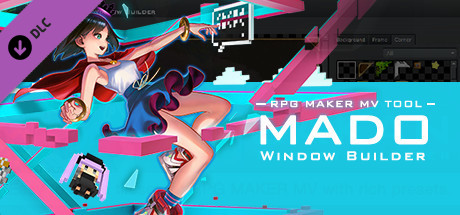
The Ultimate tool to easily customize your windows
MADO is tool created for the RPG Maker MV series. It lets you customize the window graphic used in your game. MADO includes, 50 themes for frame, corners and background patterns! You're just a few clicks away from making the perfect windows to match your game world! These include:- Standard
- Modern
- Pop
- Material
- Machine
- Other
With that much choices, you can customize your game windows to fit several game themes such as the classic fantasy RPG, futuristic worlds, high-school romance, horror and much more.
Installing MADO
- Open RPG Maker MV and your Project.
- Select Tools -> RPG Maker MV Tools...
- Select Window Maker -> Add
- Press OK.
- Press the newly added icon to start using MADO! There is a guide to help you use it in the Help Tab.
NOTE: MADO installs a plugin to your desired project. This is how it will modify the windows of your game.
Customizing MADO
You can also add your own original window graphic parts!- Go to the Root Folder of the Tool. Normally this is in Steam\steamapps\common\RPG Maker MV\tool\MADO\Parts
- You will see an img folder. This is where you will place the new Window Graphics you wish to use. Window_ID050 is a template that you can follow.
- Once you are done, simply name your new graphic as "Window_ID0XX" 0XX being the new number. This is the unique ID of your graphic.
- The thumbs folder is a small preview of your newly made window graphic to display on the tool itself. Make sure to add a thumb image on your newly created graphic as well!
- Go back to parts folder and open setting.json.
- At the very end of "category": "All" add your newest window graphic such as "051"
- Then add the same ID based on which category you want to set it to. If your new window graphic classifies as fantasy, go to "category": "Standard" and add the latest id at the very end of the id. It would look like something like this:
"id": ["001","006","007","009","011","012","017","018","036","037", "051"] - Congrats! You have added your own custom graphic!
游戏说明:
1、所有游戏一经使用将永久与您Steam平台帐号绑定,无法剥离,无法二次销售,因此售出的商品不提供任何退换货服务(包括但不限于买错游戏,配置不符,网络问题,游戏限区等)。如您对此持有异议,请勿购买。强烈建议您在购买游戏之前,先了解游戏的配置要求,语言版本,使用地区等基本信息。
2、本店只出售steam激活码,不会索要账号及密码,不会提供低价区礼物,所以请放心,不会对账号造成任何损害。如有其他人员假借平台名义索要任何账号相关内容请勿上当受骗。
3、所有激活码均为正版渠道,价格相比礼物区会贵点,不会有红号、礼物索回等风险。
4、如有其他问题或者合作建议,请与我们联系。诚邀各位游戏开发运营商、以及有推广意向的用户合作。
激活步骤:
一、付款成功后,可在查询订单在中,提取CDK.

一、打开Steam客户端,点击右下角《添加游戏》,选择--在Steam上激活产品....

三、输入订单中的CDK,点击下一步,就可以添加入库了。





























