️Please read before you buy
GameLibBooster is only useful if you have at least 2 drives in your computer, preferably one large and one fast. The perfect combo is a fast SSD with a large HDD.
About the Software
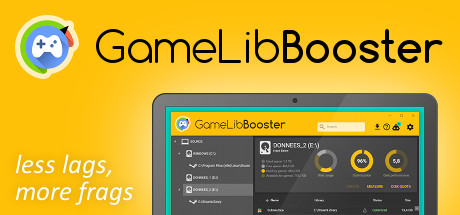
GameLibBooster is the first disk optimization software dedicated to PC gamers.Faster loading
Always run your games from your fastest driveGameLibBooster analyses the performance of your drives and the file structure of your games, and ensures that the games you play are always on the most suited drive. The improvement can be very noticeable, as moving a game from HDD to SSD usually results in 2 to 3 times faster loadings. A RAMDisk can even be used to get a better performance optimization.
Less loading lags
Game freezes when entering a new area?This annoying FPS drop occurs when your drive isn’t fast enough to load all the game assets needed to render the scene. By moving the games that you’re playing to your fastest drive, GameLibBooster can noticeably reduce or even eliminate the occurrence of this stuttering.
Faster level streaming
See the battlefield before your enemiesTo limit RAM usage, most open world games only keep into memory the areas of the map that surround the player; this programming technique is called lazy loading. But the negative effect of this technique is that you can often see chunks of level, objects and texture details popping-in as you move around. GameLibBooster can greatly reduce this effect by making game data load faster.
Better disk usage
More room for your gamesHaving to uninstall an old game to free up space for a new one is a thing of the past. GameLibBooster automatically makes the best use of all your drives. Games you no longer play are moved to your larger drive. As soon as you play them again, they are moved back to your fastest drive. Your save files are preserved, and you don't need to re-download your games again and again.
Fully automated
Install, configure and forgetYou have nothing to do, your games are always optimized. Just install your Steam games as usual, GameLibBooster takes care of the rest. GameLibBooster only works when you don't use your computer, and keeps your games optimized without affecting performance.
Easy to configure
3, 2, 1, your games are optimized!Setting up GameLibBooster is only a matter of minutes. Your game directories are automatically detected. Just tell GameLibBooster how much space on each drive can be used for games, and that's it! GLibBBot, our smart advisor, will even guide you through these steps.
GLibBBot
The AI that will get you up and running in no timeGLibBBot is the smart advisor that makes sure that GameLibBooster and Steam are ideally configured and that you are getting the most out of your hardware. It will notify you of any configuration problem or potential performance improvement, will tell you what to do, and can even do it for you.
游戏说明:
1、所有游戏一经使用将永久与您Steam平台帐号绑定,无法剥离,无法二次销售,因此售出的商品不提供任何退换货服务(包括但不限于买错游戏,配置不符,网络问题,游戏限区等)。如您对此持有异议,请勿购买。强烈建议您在购买游戏之前,先了解游戏的配置要求,语言版本,使用地区等基本信息。
2、本店只出售steam激活码,不会索要账号及密码,不会提供低价区礼物,所以请放心,不会对账号造成任何损害。如有其他人员假借平台名义索要任何账号相关内容请勿上当受骗。
3、所有激活码均为正版渠道,价格相比礼物区会贵点,不会有红号、礼物索回等风险。
4、如有其他问题或者合作建议,请与我们联系。诚邀各位游戏开发运营商、以及有推广意向的用户合作。
激活步骤:
一、付款成功后,可在查询订单在中,提取CDK.

一、打开Steam客户端,点击右下角《添加游戏》,选择--在Steam上激活产品....

三、输入订单中的CDK,点击下一步,就可以添加入库了。





























