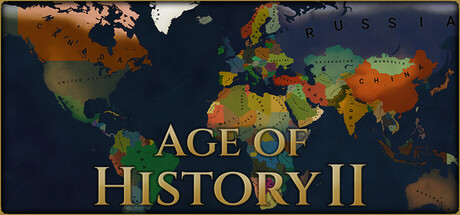
Age of History II
Age of History is a grand strategy wargame that is simple to learn yet hard to master.
Your objective is to use military tactics and cunning diplomacy to either unify the world, or conquer it.
Will the world bleed out or bow before you? The choice is yours..
Approach to the History
Age of History II goes through the whole history of humanity, Age by Age, beginning in the Age of Civilizations and leading into the far future.
Historical Grand Campaign
Play as many Civilizations ranging from the largest empire to the smallest tribe, and lead your people to glory in a campaign spanning thousands of years from the dawn of civilization to the future of mankind.
Main Features
Detailed map of the world with many historical borders
Deeper diplomatic system between Civilizations
Peace treaties
Revolutions
Create own History using in-game editors
Hotseat, play with as many players as Civilizations in scenario!
Terrain Types
More detailed diversity of Populations
End game timelapses
Create own world and play it!
Scenario Editor, create own historical or alternate history scenarios and share them with community!
Civilization Creator
Flag maker
Wasteland Editor
Map Editors
Create own maps!
Provinces Editor
Terrain Types Editor
Growth Rate Editor
Cities Editor
Game Editors
Add and customize own Terrain Types
Create own pallet of Civilizations colors and share them!
Create own Continents
Service Ribbons Editor
Random alliances names Editor
Diplomacy Colors Editor
1、所有游戏一经使用将永久与您Steam平台帐号绑定,无法剥离,无法二次销售,因此售出的商品不提供任何退换货服务(包括但不限于买错游戏,配置不符,网络问题,游戏限区等)。如您对此持有异议,请勿购买。强烈建议您在购买游戏之前,先了解游戏的配置要求,语言版本,使用地区等基本信息。
2、本店只出售steam激活码,不会索要账号及密码,不会提供低价区礼物,所以请放心,不会对账号造成任何损害。如有其他人员假借平台名义索要任何账号相关内容请勿上当受骗。
3、所有激活码均为正版渠道,价格相比礼物区会贵点,不会有红号、礼物索回等风险。
4、如有其他问题或者合作建议,请与我们联系。诚邀各位游戏开发运营商、以及有推广意向的用户合作。
一、付款成功后,可在查询订单在中,提取CDK.

一、打开Steam客户端,点击右下角《添加游戏》,选择--在Steam上激活产品....

三、输入订单中的CDK,点击下一步,就可以添加入库了。

























