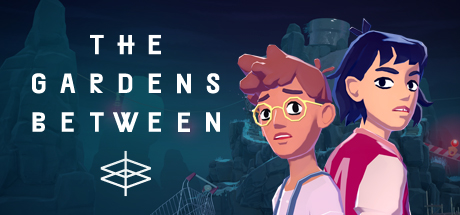
The Gardens Between is a single-player adventure-puzzle game about time, memory and friendship.
Best friends Arina and Frendt fall into a series of vibrant, dreamlike island gardens peppered with everyday objects from their childhood. Together they embark on an emotional journey that examines the significance of their friendship.
Manipulate time to solve puzzles and reach the apex of each isle. Follow the duo as they unpack and explore their precious moments spent together, lighting up constellations and illuminating threads of a bittersweet narrative.
Features
Vibrant, storybook-inspired art style
Dreamy tale of adventure, friendship and growing-up
Gorgeous single player experience with a meaningful personal story
Bespoke ingenious puzzles require the manipulation of time to solve
Accessible design; simple controls, and no text, speech, time pressure or complex UI
Relaxing, ambient soundtrack by feature-artist Tim Shiel
Play in full detail on your gorgeous 4k screen
Reception
"Magical moments."
- GameSpot
"Incredibly clever."
- Nintendo Life
"Every element works in unison."
- Shindig.nz
"A magical journey."
- Polygon
"You really need to play it."
- Engadget
Awards and Festivals
'Excellence In Art' Winner IMGA 2020
'Apple Design Award' Winner 2019
'Best Puzzles' Winner Webby Awards 2019
Apple 'Mac Game of the Year' Winner 2018
'Game of the Year' Winner at the Australia Game Developer Awards 2018
'Most Innovative Game' Winner by Game Two 2018
'Best Technology' Winner at Sense Of Wonder Night 2018
'Best of MIX' Winner at MIX Seattle 2018
'Game Design Excellence' Winner BIC Fest 2017
1、所有游戏一经使用将永久与您Steam平台帐号绑定,无法剥离,无法二次销售,因此售出的商品不提供任何退换货服务(包括但不限于买错游戏,配置不符,网络问题,游戏限区等)。如您对此持有异议,请勿购买。强烈建议您在购买游戏之前,先了解游戏的配置要求,语言版本,使用地区等基本信息。
2、本店只出售steam激活码,不会索要账号及密码,不会提供低价区礼物,所以请放心,不会对账号造成任何损害。如有其他人员假借平台名义索要任何账号相关内容请勿上当受骗。
3、所有激活码均为正版渠道,价格相比礼物区会贵点,不会有红号、礼物索回等风险。
4、如有其他问题或者合作建议,请与我们联系。诚邀各位游戏开发运营商、以及有推广意向的用户合作。
一、付款成功后,可在查询订单在中,提取CDK.

一、打开Steam客户端,点击右下角《添加游戏》,选择--在Steam上激活产品....

三、输入订单中的CDK,点击下一步,就可以添加入库了。





















