Knuckles support
In order for Knuckles (Valve Index Controllers) to work properly with the new version you will need to use our bindings. To use them:
1. Make sure you controllers are on and are tracking
2. In SteamVR, click the menu button in the top left corner and select Devices->Controller Settings
3. In the Controller Settings window, on the right hand panel, select "Carly and the Reaperman"
4. At the bottom you will see an entry called "Official binding for Index Controller", click "View"
5. Click "Select this binding" at the bottom of the window
You should now be able to use your Knuckles without problems. If you have problems getting it to work, send an email to johan@oddravenstudios.com.
Online Multiplayer
Looking to play "Carly and the Reaperman" online with a friend? Look no more! Thanks to the awesome streaming software Parsec you can. Just follow the instructions outlined in this Community announcement.
About the Game
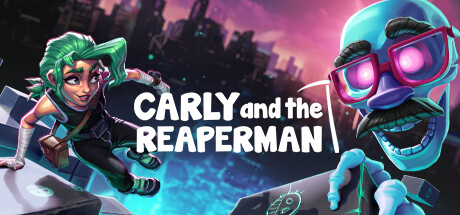
In the depths of the Underworld, Carly and the Reaperman visit the worlds of the spirits that inhabit this place. Master platforming, solve puzzles and build your way to victory. This asymmetrical game let's the giant Reaperman pick up platforms, and the little girl Carly jumps on top of the platforms that the Reaperman places. You can either control both characters by yourself, or grab a friend to play with - either way, escaping the Underworld is not an easy task!- Asymmetrical gameplay
- Single- and local co-op mode
- Unlockable hats and customizables
- Follow the story of Carly and the Reaperman as they take on the Underworld
- 10+ hours of gameplay
- Over 50 levels of platforming fun
Play online co-op with a friend:
We recommend using Parsec to play online with a friend. Parsec lets you access your gaming PC from anywhere and invite your friends to connect and play local multiplayer games online. Just go in here and download application:
Please see update for more information.

Carly and the Reaperman won Indiecade "People's choice award" 2018.
What is Indiecade:
IndieCade or Indiecade is an international juried festival of independent games. IndieCade is known as "the video game industry's Sundance". At IndieCade, independent video game developers are selected to screen and promote their work at the annual IndieCade festival and showcase events. In 2009, IndieCade launched a conference track featuring classes, panels, workshops, and keynotes. The conference has since become a major attraction for indie developers and others in the industry.
1、所有游戏一经使用将永久与您Steam平台帐号绑定,无法剥离,无法二次销售,因此售出的商品不提供任何退换货服务(包括但不限于买错游戏,配置不符,网络问题,游戏限区等)。如您对此持有异议,请勿购买。强烈建议您在购买游戏之前,先了解游戏的配置要求,语言版本,使用地区等基本信息。
2、本店只出售steam激活码,不会索要账号及密码,不会提供低价区礼物,所以请放心,不会对账号造成任何损害。如有其他人员假借平台名义索要任何账号相关内容请勿上当受骗。
3、所有激活码均为正版渠道,价格相比礼物区会贵点,不会有红号、礼物索回等风险。
4、如有其他问题或者合作建议,请与我们联系。诚邀各位游戏开发运营商、以及有推广意向的用户合作。
一、付款成功后,可在查询订单在中,提取CDK.

一、打开Steam客户端,点击右下角《添加游戏》,选择--在Steam上激活产品....

三、输入订单中的CDK,点击下一步,就可以添加入库了。





























