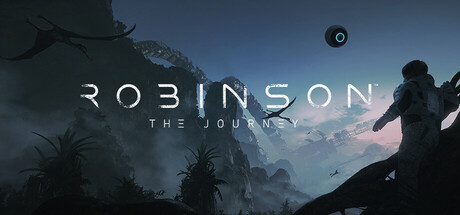
A RICH WORLD
Exploring from a first-person perspective, gamers will encounter an array of dinosaurs and creatures that react to their presence within the ecosystem of Tyson III. An emphasis on interaction with their surroundings encourages players to examine each area of the game in detail – creating a dense atmosphere and adding to the sense that Tyson III is a goldmine of undiscovered secrets. The game places narrative at the center, with an engaging storyline unfolding as players explore.
AN EXPLORER’S PARADISE
There’s something to discover around every corner. Wander off the beaten path to collect achievements, find rare items, and interact with the environment. With free movement, you can go wherever you want, choose how to progress, revisit places, and make the most of a non-linear story. There are no cutscenes in Robinson: The Journey, with every aspect of the story unfolding from the player’s perspective to retain a deep sense of immersion.
A BEAUTIFUL JOURNEY
Robinson: The Journey features a vibrant game world designed to make players feel truly present in unfamiliar territory, all powered by CRYENGINE to deliver stunning graphics, realistic sound, intense immersion, and a sense of scale that push the boundaries of VR gameplay.
GRAPHIC FIDELITY AND VR
Because VR is still an emerging medium, VR development has brought with it a new set of creative and technical challenges. Robinson: The Journey has been created from the ground up to offer an immersive VR experience. Using the power of CRYENGINE, our team added new features and optimized pre-existing tools to meet those challenges and make Robinson one of the most stunning experiences currently available in VR.
Exploring from a first-person perspective, gamers will encounter an array of dinosaurs and creatures that react to their presence within the ecosystem of Tyson III. An emphasis on interaction with their surroundings encourages players to examine each area of the game in detail – creating a dense atmosphere and adding to the sense that Tyson III is a goldmine of undiscovered secrets. The game places narrative at the center, with an engaging storyline unfolding as players explore.
AN EXPLORER’S PARADISE
There’s something to discover around every corner. Wander off the beaten path to collect achievements, find rare items, and interact with the environment. With free movement, you can go wherever you want, choose how to progress, revisit places, and make the most of a non-linear story. There are no cutscenes in Robinson: The Journey, with every aspect of the story unfolding from the player’s perspective to retain a deep sense of immersion.
A BEAUTIFUL JOURNEY
Robinson: The Journey features a vibrant game world designed to make players feel truly present in unfamiliar territory, all powered by CRYENGINE to deliver stunning graphics, realistic sound, intense immersion, and a sense of scale that push the boundaries of VR gameplay.
GRAPHIC FIDELITY AND VR
Because VR is still an emerging medium, VR development has brought with it a new set of creative and technical challenges. Robinson: The Journey has been created from the ground up to offer an immersive VR experience. Using the power of CRYENGINE, our team added new features and optimized pre-existing tools to meet those challenges and make Robinson one of the most stunning experiences currently available in VR.
游戏说明:
1、所有游戏一经使用将永久与您Steam平台帐号绑定,无法剥离,无法二次销售,因此售出的商品不提供任何退换货服务(包括但不限于买错游戏,配置不符,网络问题,游戏限区等)。如您对此持有异议,请勿购买。强烈建议您在购买游戏之前,先了解游戏的配置要求,语言版本,使用地区等基本信息。
2、本店只出售steam激活码,不会索要账号及密码,不会提供低价区礼物,所以请放心,不会对账号造成任何损害。如有其他人员假借平台名义索要任何账号相关内容请勿上当受骗。
3、所有激活码均为正版渠道,价格相比礼物区会贵点,不会有红号、礼物索回等风险。
4、如有其他问题或者合作建议,请与我们联系。诚邀各位游戏开发运营商、以及有推广意向的用户合作。
激活步骤:
一、付款成功后,可在查询订单在中,提取CDK.

一、打开Steam客户端,点击右下角《添加游戏》,选择--在Steam上激活产品....

三、输入订单中的CDK,点击下一步,就可以添加入库了。





























