Discord Community
About the Game
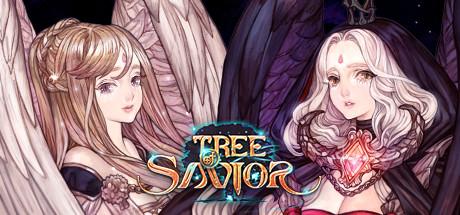
Tree of Savior ("TOS") is an MMORPG in which you embark on a journey to search for the goddesses in a world in chaos. Fairy-tale like colors accompanied with beautiful graphics will have you savoring every precious moment experienced throughout your gameplay.Major Characteristics :
- Distinct Art Style
- Massive Freedom of Choice - develop your own playstyle
- Team Battle League (PVP Content) - Joust your skills with others in the arena!
- Guild Wars (GvG Content) - No place is safe from enemy guild members, in the open field or even in instance dungeons!
Scale :
- Numerous character classes, 8 ranks - Enough class and rank combinations to keep you tinkering for your exact build
- Hidden/advanced classes achieved only through special requirements
- Diverse themes comprising a multitude of worlds and levels
- Abundant field and dungeon contents and hidden quests
- More than 200 unique boss monsters
Style :
- Cute and charming looking characters and background
- Diverse costumes and expressions
Freedom of Choice :
- Different jobs, skills, and stats giving possibility to a variety of combinations
- No fixed route, choose which path you wish to take
Community :
- The community can be accessed anytime no matter where you may be
- Automatic Party Finding - Form parties with nearby players that will automatically disband when far apart
Raids :
- Give low-level characters opportunities to join raids even at early stages of game play
- Servers use active matchmaking to call for automatic party finding
Statistics :
- Information is accumulated and posted to show rankings for almost everything in-game
- The statistics provided allow players to see how other players are doing
游戏说明:
1、所有游戏一经使用将永久与您Steam平台帐号绑定,无法剥离,无法二次销售,因此售出的商品不提供任何退换货服务(包括但不限于买错游戏,配置不符,网络问题,游戏限区等)。如您对此持有异议,请勿购买。强烈建议您在购买游戏之前,先了解游戏的配置要求,语言版本,使用地区等基本信息。
2、本店只出售steam激活码,不会索要账号及密码,不会提供低价区礼物,所以请放心,不会对账号造成任何损害。如有其他人员假借平台名义索要任何账号相关内容请勿上当受骗。
3、所有激活码均为正版渠道,价格相比礼物区会贵点,不会有红号、礼物索回等风险。
4、如有其他问题或者合作建议,请与我们联系。诚邀各位游戏开发运营商、以及有推广意向的用户合作。
激活步骤:
一、付款成功后,可在查询订单在中,提取CDK.

一、打开Steam客户端,点击右下角《添加游戏》,选择--在Steam上激活产品....

三、输入订单中的CDK,点击下一步,就可以添加入库了。





























