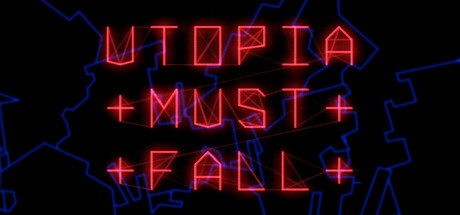
Utopia Must Fall is a vector-flavored base-defending arcade shooter with rapid progression, procedurally generated attack waves and enough upgrade variety to suit both the defensive or aggressive player.
It incorporates elements from tower defense, roguelikes and beyond, all neatly packaged into a laser-sharp bullet-purgatory arcade frenzy!
Easy To Learn: firing happens automatically, just steer the city's turret and launch the occasional sky-clearing nuclear warhead. Each day of survival is rewarded with an upgrade for your defenses, choose wisely to keep humanity alive for as long as possible.
Sizable Upgrade Tree: progress is fast and allows you to pick strategies to suit your playing style — beef up your rail gun into a multi-barrel death machine, strengthen your shield's auto defense abilities, deploy and configure an array of autonomous battle drones and laser turrets, or go all out on aggression and see out Utopia's final days with a stockpile of nukes and a shotgun the size of a building.
Arcade-Focused: there is no meta-progression (yet). In Utopia, all universes are created equal, and death is final. Earn upgrades and unlock new abilities by completing mini-challenges as you defend the city. Get good to get the good stuff!
Laser-Shiny: built with our brand-new V99 graphics engine, bringing you the retro-modern vector arcade style you didn't know you needed yet.
Darkly Humorous: the world is ending soon, what else is there left to do but laugh?
Affordable: reasonably priced to help offset the unreasonable cost of everything else.
This game is a work-in-progress. Please contact us in the Utopia Must Fall category on the Pixeljam Discord or in the Steam forums to give feedback, bug reports, feature suggestions, etc.
1、所有游戏一经使用将永久与您Steam平台帐号绑定,无法剥离,无法二次销售,因此售出的商品不提供任何退换货服务(包括但不限于买错游戏,配置不符,网络问题,游戏限区等)。如您对此持有异议,请勿购买。强烈建议您在购买游戏之前,先了解游戏的配置要求,语言版本,使用地区等基本信息。
2、本店只出售steam激活码,不会索要账号及密码,不会提供低价区礼物,所以请放心,不会对账号造成任何损害。如有其他人员假借平台名义索要任何账号相关内容请勿上当受骗。
3、所有激活码均为正版渠道,价格相比礼物区会贵点,不会有红号、礼物索回等风险。
4、如有其他问题或者合作建议,请与我们联系。诚邀各位游戏开发运营商、以及有推广意向的用户合作。
一、付款成功后,可在查询订单在中,提取CDK.

一、打开Steam客户端,点击右下角《添加游戏》,选择--在Steam上激活产品....

三、输入订单中的CDK,点击下一步,就可以添加入库了。