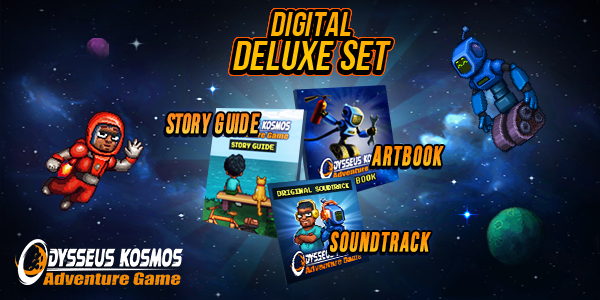
What's inside this Digital Deluxe Set? Let’s find out!
Digital Art Book
Odysseus Kosmos and his Robot Quest is the game that pays homage to good old adventure games of the golden era and the elements of sci-fi in popular culture. This digital art book (pdf format) contains pages full of concept art and sketches — everything that helped create the fascinating (and occasionally tragic or humorous) world of Odysseus Kosmos.
You can expect to see works made by such artists as Roman Gecerov, Sergey ‘Yoksel’ Dobrecov and other talented individuals who helped define the game’s look.
Digital Guide Book
Have you ever found yourself confused with the complexity of sci-fi stories? All the technical jargon, parallel universes, etc. Fear not, as this guide book (pdf format) will give you a detailed look at the timeline of Odysseus Kosmos and his Robot Quest. It contains illustrated pages that introduce readers to some of the key events from the actual game. Why did humanity leave Earth? What is StarGaze and what was their role in launching San Francisco? These and many other questions will be answered in the digital guide book, so don’t miss your chance to get it and brag to your friends about it!

Original Soundtrack
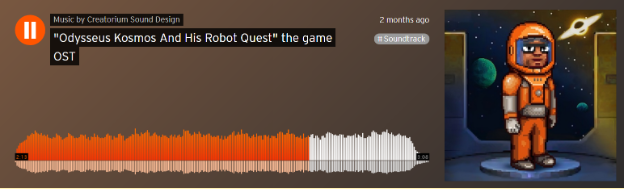
Odysseus Kosmos and his Robot Quest’s OST offers 20 tracks (mp3, 320 kbps) inspired by the Soviet space race era. Based heavily on the dialogues and personalities of the main characters, it dramatically evolves with the game’s plot itself. A brainchild of Princess & Ivan Holodov (Crematorium Sound Design project), it gives the pixelated universe of Odysseus Kosmos that specific nostalgic feel when space travel was the biggest news around the world.
1、所有游戏一经使用将永久与您Steam平台帐号绑定,无法剥离,无法二次销售,因此售出的商品不提供任何退换货服务(包括但不限于买错游戏,配置不符,网络问题,游戏限区等)。如您对此持有异议,请勿购买。强烈建议您在购买游戏之前,先了解游戏的配置要求,语言版本,使用地区等基本信息。
2、本店只出售steam激活码,不会索要账号及密码,不会提供低价区礼物,所以请放心,不会对账号造成任何损害。如有其他人员假借平台名义索要任何账号相关内容请勿上当受骗。
3、所有激活码均为正版渠道,价格相比礼物区会贵点,不会有红号、礼物索回等风险。
4、如有其他问题或者合作建议,请与我们联系。诚邀各位游戏开发运营商、以及有推广意向的用户合作。
一、付款成功后,可在查询订单在中,提取CDK.

一、打开Steam客户端,点击右下角《添加游戏》,选择--在Steam上激活产品....

三、输入订单中的CDK,点击下一步,就可以添加入库了。