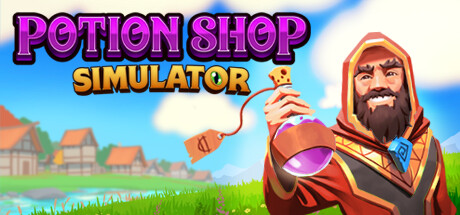
 Step into the enchanting world of alchemy, where brewing potions is as simple as it is satisfying! After graduating Wizard U, you find yourself on the outskirts of the kingdom in a shop you’re proud to call your own. Utilize the four classical elements—Fire, Water, Air, and Earth—in a variety of combinations to create potions for your peculiar clientele. Master the art of potion brewing and shopkeeping to build your reputation, and unlock new opportunities and benefits that further your business!
 The potion shop is yours to manage, so sell your potions as-is, or do your best to haggle and squeeze out additional money from your customer’s pocket. Don’t slip up, or you may sell your merchandise below market value. Use your hard-earned coins to upgrade your space and buy decorations and furnishings to increase your productivity and attract more customers!
 Take advantage of Potion Shop Simulator’s co-op by playing with friends! Combine forces to manage the business together; divide and conquer your daily chores like tending to the garden, collecting plants, brewing potions, managing the shop, and more.

Discover a cozy medieval village where fantasy meets friendly monsters. Brew potions, forge connections, and dive into a world of enchanting stories with lovable monster villagers. Your potion shop is the gateway to adventure and magic in this charming world.
 The village is alive: ever-changing with various events and activities to complete. Sell your goods at the open-air market, visit the traveling salesman, prepare for potion shop inspections and more. Other developments such as market trends and rush hours may also affect your day-to-day, while the village folk may provide you with side quests that challenge your brewing skills.
1、所有游戏一经使用将永久与您Steam平台帐号绑定,无法剥离,无法二次销售,因此售出的商品不提供任何退换货服务(包括但不限于买错游戏,配置不符,网络问题,游戏限区等)。如您对此持有异议,请勿购买。强烈建议您在购买游戏之前,先了解游戏的配置要求,语言版本,使用地区等基本信息。
2、本店只出售steam激活码,不会索要账号及密码,不会提供低价区礼物,所以请放心,不会对账号造成任何损害。如有其他人员假借平台名义索要任何账号相关内容请勿上当受骗。
3、所有激活码均为正版渠道,价格相比礼物区会贵点,不会有红号、礼物索回等风险。
4、如有其他问题或者合作建议,请与我们联系。诚邀各位游戏开发运营商、以及有推广意向的用户合作。
一、付款成功后,可在查询订单在中,提取CDK.

一、打开Steam客户端,点击右下角《添加游戏》,选择--在Steam上激活产品....

三、输入订单中的CDK,点击下一步,就可以添加入库了。