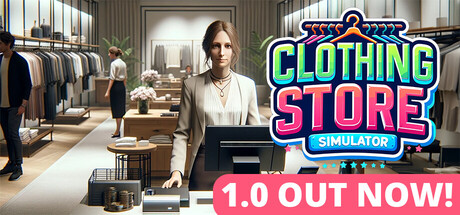
"Clothing Store Simulator" is a fun simulation game that will let you feel the glamorous world of fashion.
Design your dream clothes and start selling.
Customize every aspect of your store to truly make it your own! Grab a brush and let your imagination fly!
Computer and Store Management In-game
Manage your store from the in-game computer. You can make brand agreements, order products, set the selling price of products, order furniture and decoration items and much more from the computer.
Brand Agreements
Make brand agreements. By signing agreements with brands, you can sell their products in your store. People who care about fashion wear brands.
Product Placement
Pick up the products you have ordered, arrange them on shelves, place them in aisles, hang them on hangers or stock them in your warehouse. You can also put them on a mannequin for display.
Store Design
Design your store in a trendy and attractive way. Arrange furniture and decorations. Place shelves, hangers, racks and mannequins. Place products in the relevant aisles. You can present your products to customers by dressing the mannequins.
Price Determination
To grow your customer base, emphasize customer satisfaction. Customers like a balanced price policy. Follow the market. Products with falling prices can be stocked.
Store Expansion
Expand your store and warehouse spaces, add furniture and decorations, fill the aisles with products and fill your store with customers. Fashion changes constantly. Adapt to change until you become the change initiator.
"Clothing Store Simulator" is where the heart of fashion beats. Will you stay a small boutique or will you build a big store that sets the fashion trends of the city? A world of fun awaits you.
Design your dream clothes and start selling.
Customize every aspect of your store to truly make it your own! Grab a brush and let your imagination fly!
Computer and Store Management In-game
Manage your store from the in-game computer. You can make brand agreements, order products, set the selling price of products, order furniture and decoration items and much more from the computer.
Brand Agreements
Make brand agreements. By signing agreements with brands, you can sell their products in your store. People who care about fashion wear brands.
Product Placement
Pick up the products you have ordered, arrange them on shelves, place them in aisles, hang them on hangers or stock them in your warehouse. You can also put them on a mannequin for display.
Store Design
Design your store in a trendy and attractive way. Arrange furniture and decorations. Place shelves, hangers, racks and mannequins. Place products in the relevant aisles. You can present your products to customers by dressing the mannequins.
Price Determination
To grow your customer base, emphasize customer satisfaction. Customers like a balanced price policy. Follow the market. Products with falling prices can be stocked.
Store Expansion
Expand your store and warehouse spaces, add furniture and decorations, fill the aisles with products and fill your store with customers. Fashion changes constantly. Adapt to change until you become the change initiator.
"Clothing Store Simulator" is where the heart of fashion beats. Will you stay a small boutique or will you build a big store that sets the fashion trends of the city? A world of fun awaits you.
游戏说明:
1、所有游戏一经使用将永久与您Steam平台帐号绑定,无法剥离,无法二次销售,因此售出的商品不提供任何退换货服务(包括但不限于买错游戏,配置不符,网络问题,游戏限区等)。如您对此持有异议,请勿购买。强烈建议您在购买游戏之前,先了解游戏的配置要求,语言版本,使用地区等基本信息。
2、本店只出售steam激活码,不会索要账号及密码,不会提供低价区礼物,所以请放心,不会对账号造成任何损害。如有其他人员假借平台名义索要任何账号相关内容请勿上当受骗。
3、所有激活码均为正版渠道,价格相比礼物区会贵点,不会有红号、礼物索回等风险。
4、如有其他问题或者合作建议,请与我们联系。诚邀各位游戏开发运营商、以及有推广意向的用户合作。
激活步骤:
一、付款成功后,可在查询订单在中,提取CDK.

一、打开Steam客户端,点击右下角《添加游戏》,选择--在Steam上激活产品....

三、输入订单中的CDK,点击下一步,就可以添加入库了。